Email Finder vs Email Verifier: What’s the Difference?
October 8, 2026
Quick answer
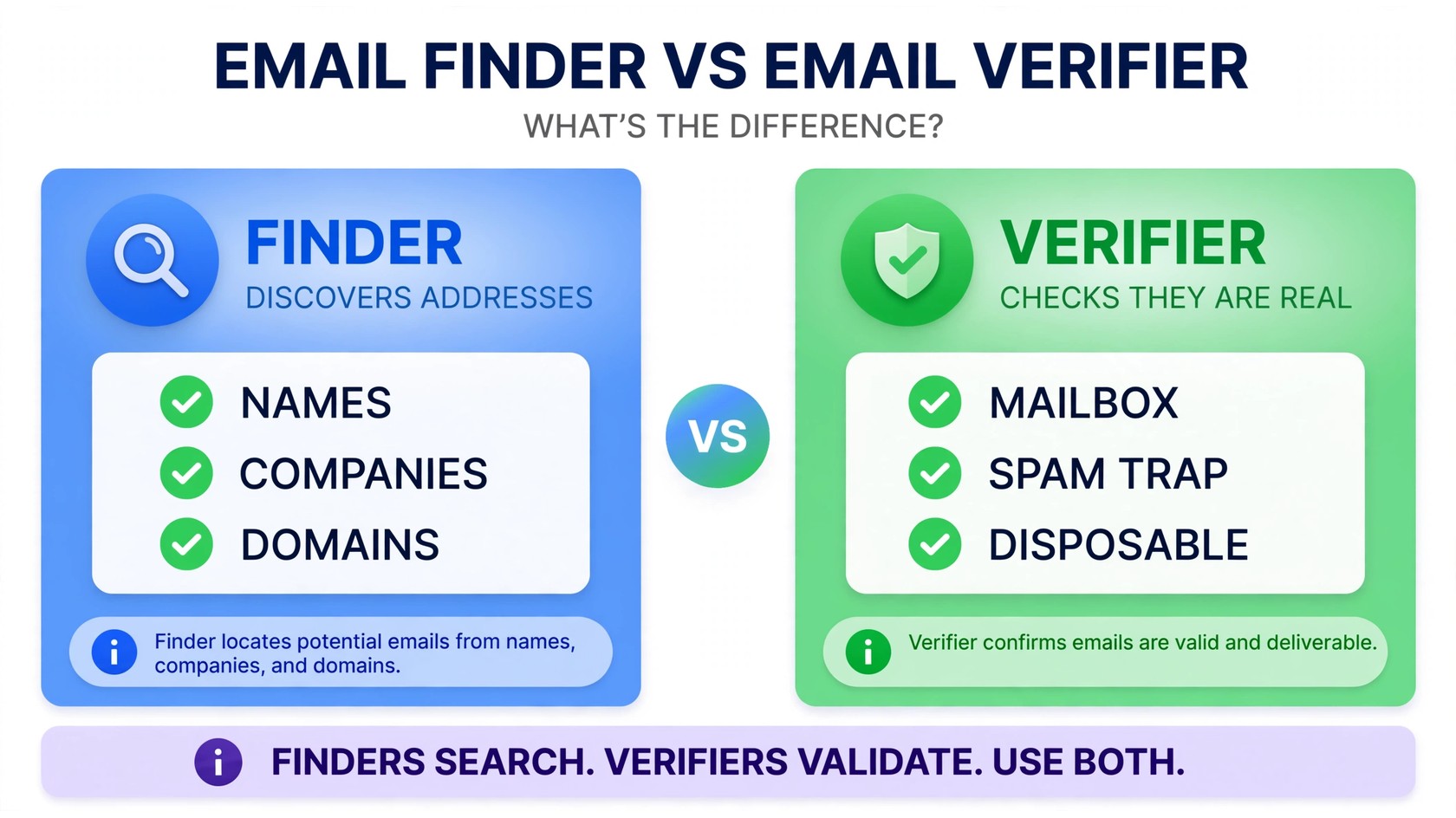
The email finder vs email verifier debate comes down to one question: are you trying to discover addresses or confirm they work? An email finder locates a person’s email address from a name, company, or domain — an email verifier checks whether an address on your list is valid, active, and safe to send to. They solve opposite ends of the same problem.
Here’s the part most lead-generation teams miss: finders guess and scrape, so a meaningful share of “found” addresses are stale, misspelled, or catch-alls. Sending to them unchecked is how bounce rates spike and sender reputations die.
What an email finder does
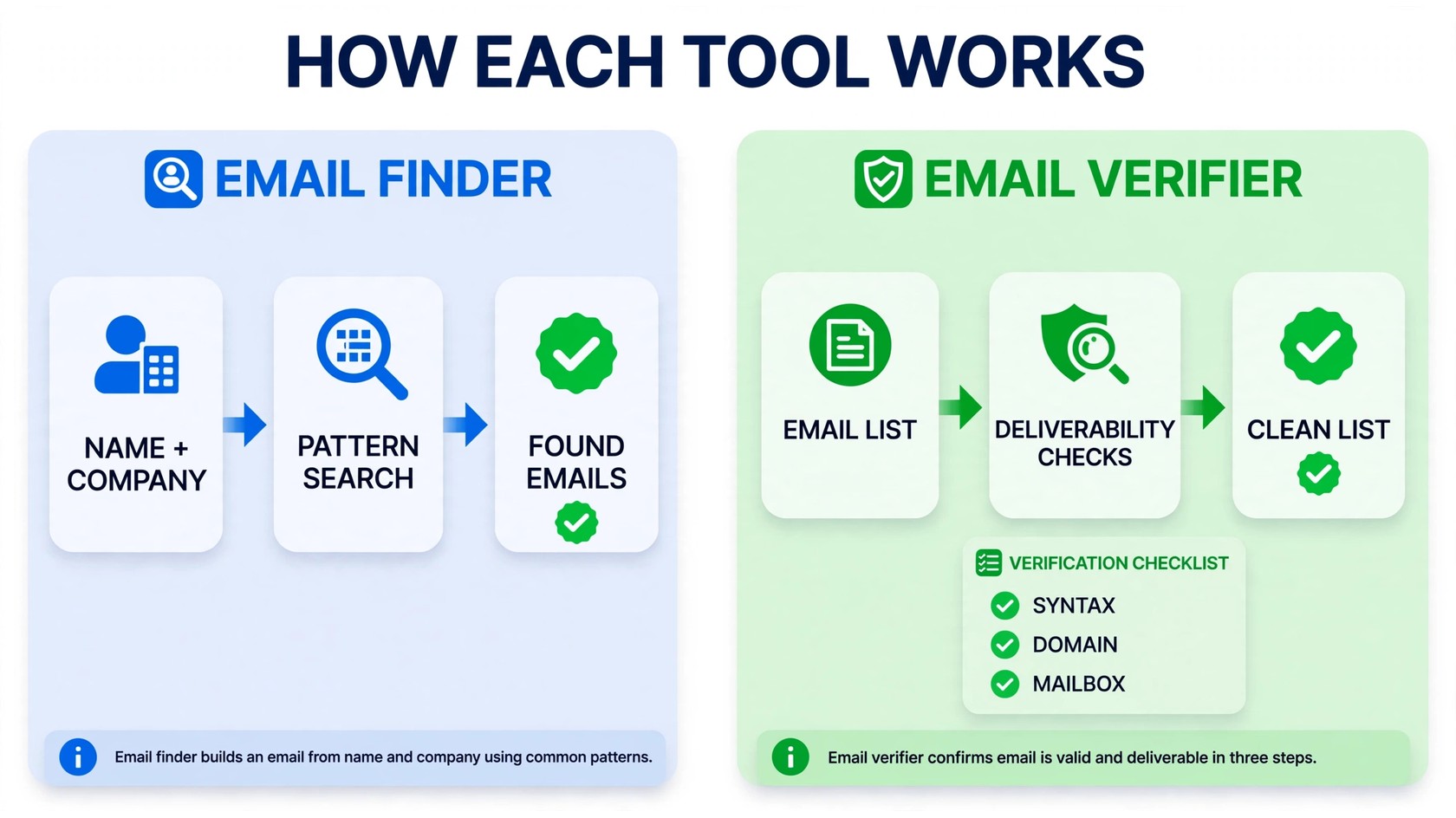
An email finder is a discovery tool. You give it a person’s name plus their company (or just a domain), and it returns the email address most likely to reach that person. Most finders work the same way under the hood: they crawl publicly available web sources — company websites, LinkedIn profiles, press pages, conference agendas — then combine what they find with pattern guessing. If a company uses firstname.lastname@company.com for three employees, the finder assumes it uses the same pattern for a fourth.
Popular finder tools like Apollo.io, Hunter.io, Snov.io, and Anymail Finder all operate on this model, and some bundle the finder with a lead database or a Chrome extension that pulls contacts while you browse LinkedIn.
- Input: a name, company name, or domain
- Output: one or more candidate email addresses per person
- Strength: speed — building a list of 500 prospects takes minutes, not weeks
- Weakness: results are probabilistic; pattern guesses can be wrong, stale, or belong to someone who left the company years ago
Think of a finder as a prospector’s shovel: it digs up candidates fast, but it never tells you which ones are solid rock and which are loose dirt.
What an email verifier does
An email verifier is a quality-control tool. You give it a list of addresses you already have — from a finder, a signup form, a purchased database, an old CRM export — and it tells you which ones are safe to send to. It runs each address through a battery of checks: syntax validation, domain and MX record checks, mailbox existence probing (SMTP handshake, without sending an actual email), plus risky-address detection for disposable domains, catch-alls, spam traps, and role-based accounts.
The output is a scored list: valid, risky, or invalid, so you keep the good and drop the dangerous. If you’re fuzzy on the mechanics, this guide to what email verification is walks through each check in plain English.
- Input: an existing email address or list
- Output: deliverability status per address (valid, risky, invalid) and a cleaned list
- Strength: protects sender reputation by blocking bounces before they happen
- Weakness: it can’t invent contacts — it only evaluates addresses you already own
PureListVerifier keeps this workflow focused — bulk list checks with a simple credit system — and you can see exactly what it handles on the features page.
Email finder vs email verifier: the key differences
Side by side, the two tools barely overlap — which is exactly why teams need both:
| Email finder | Email verifier | |
|---|---|---|
| Purpose | Discover new email addresses | Check that addresses work |
| Input | Name, company, or domain | An email address or list |
| Output | Candidate addresses | Valid / risky / invalid verdicts |
| Answers | “What is this person’s email?” | “Is this address safe to email?” |
| Biggest risk | Guessed or stale addresses | None for the tool itself — the risk is skipping it |
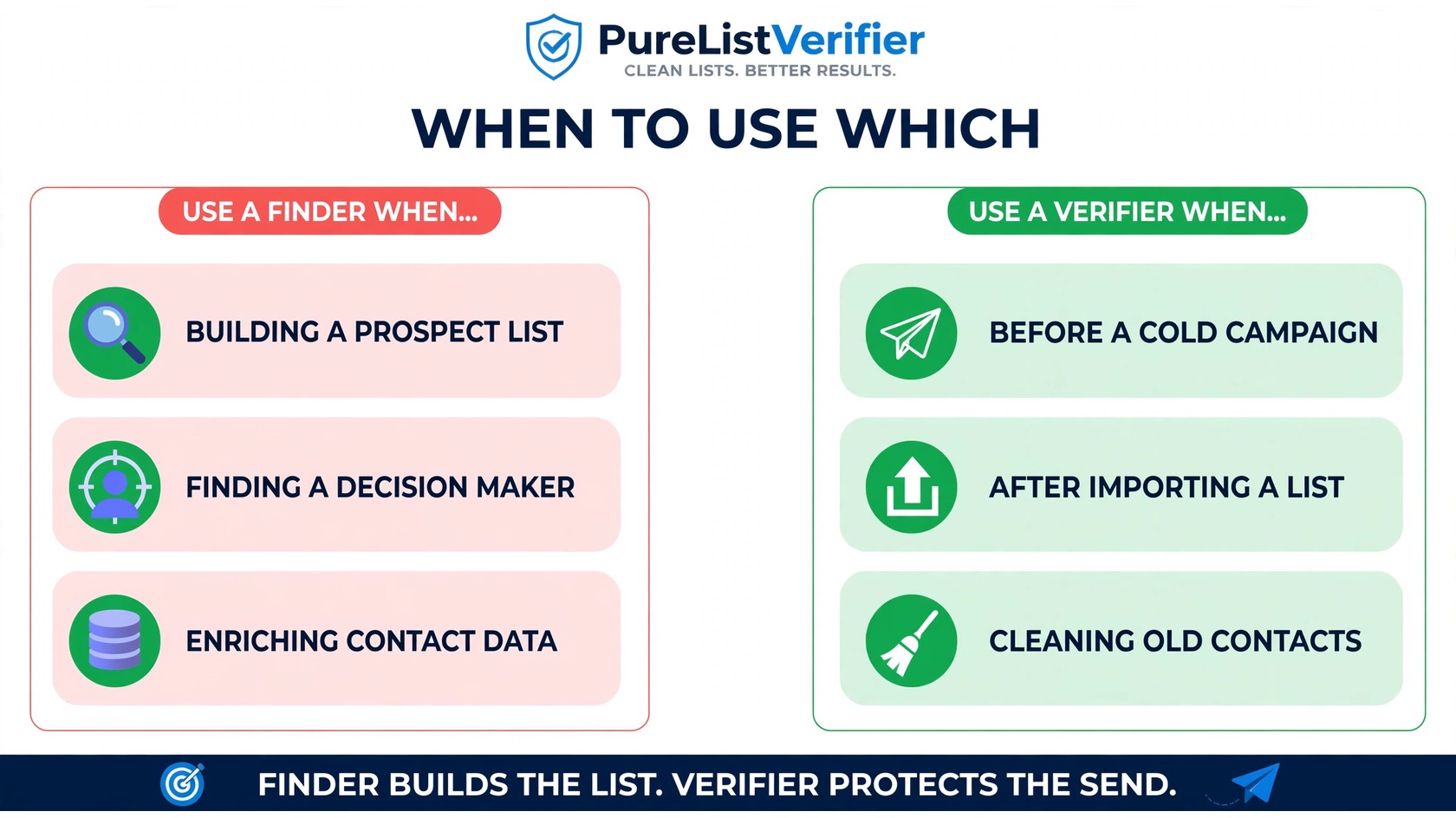
| When to use | Prospecting, list building, enrichment | Before any campaign, after any list import |
The common misconception is that a “verified” result from a finder means the address was checked. It doesn’t. A finder’s “verified” badge usually means the address pattern matched — a guess confirmed by syntax, not a mailbox probed at the mail server.
Why every “found” email must be verified
Here’s where the email finder vs email verifier distinction stops being academic and starts costing you money. Found addresses fail for predictable reasons:
- Pattern guesses are wrong more often than you’d think. A person named “Jordan Taylor” at a company using firstinitiallastname could be jtaylor@ — unless the company has two Jordans, or Jordan goes by “J.T.”, or they were hired before the pattern changed. The finder picks the most likely option, not a certain one.
- People leave jobs constantly. An address scraped from a 2023 webinar page may belong to someone who left long ago. The domain is still valid — the mailbox is gone. That’s a hard bounce waiting to happen.
- Catch-all domains fake you out. Some companies’ mail servers accept everything@company.com and silently drop the bad ones. Finders mark these as hits; without a verifier that flags catch-alls as risky, you’ll never know which ones are real.
This isn’t theoretical. Teams running Apollo.io-sourced lists regularly report bounce problems from exactly these failure modes — which is why Apollo.io emails bounce is one of the most-searched troubleshooting questions in outbound.
Mailbox providers treat bounce rates above roughly 2% as a red flag. A cold list of unverified found addresses will blow past that on the first send — and once Gmail and Outlook start routing your mail to spam, every campaign suffers, including emails to your legitimate opt-in subscribers.
The winning workflow: find → verify → send
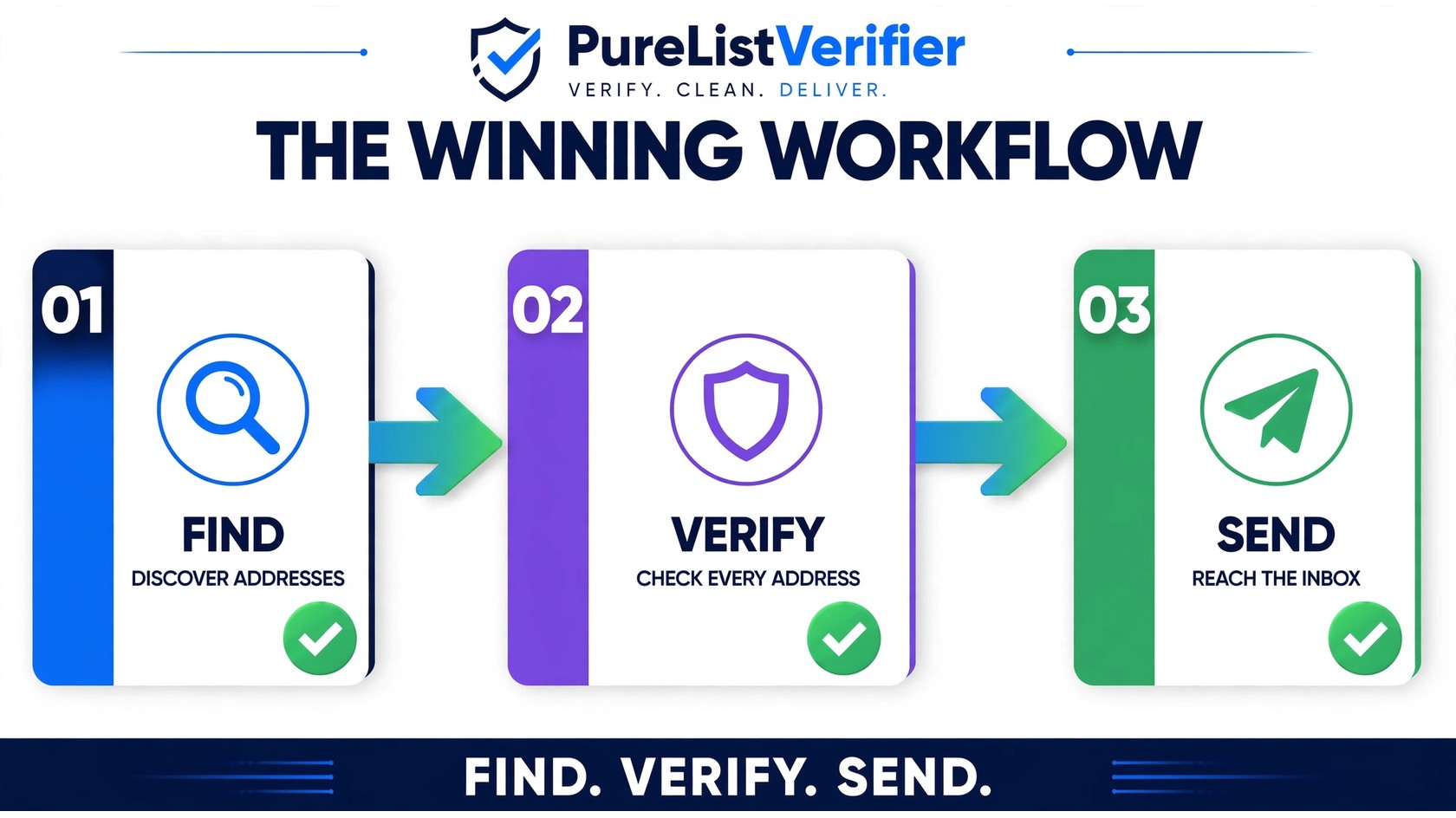
Stop thinking of the email finder vs email verifier choice as either/or. The best-performing outbound teams chain them in order:
- Find. Use a finder tool to build your prospect list — names, companies, candidate addresses. This is the raw material, and finders are genuinely excellent at it.
- Verify. Run every address through a verifier before it ever touches a campaign. Drop the invalids, quarantine the risky ones (catch-alls, role-based, disposable) for manual review, and keep only the clean. Note that email verification and email validation aren’t quite the same thing — you want the deeper checks, not just syntax validation.
- Send. Launch your campaign against the cleaned list, then watch your metrics. Low bounce rate, real opens, and a sender reputation that survives the campaign — that’s the payoff.
The whole cycle can be automated: export finder results as a CSV, run it through a bulk verifier like PureListVerifier, and re-import only the valid addresses. Five extra minutes of workflow protects the deliverability of every address you’ve ever collected.
What it costs you to skip verification
Sending a freshly found list without verification is the most expensive shortcut in outbound. The bill arrives in three forms:
- Bounces that tank your sender reputation. Every hard bounce tells mailbox providers your list hygiene is poor. Do it at scale and your domain gets throttled or blocklisted — recovery takes weeks of careful warmup, if it happens at all.
- Wasted money per send. You pay your ESP and infrastructure per email. Sending to 1,000 addresses when 150 will hard-bounce is a direct tax on the campaign — plus the opportunity cost of the replies that never come.
- Spam-trap landmines. The most dangerous thing a finder can hand you isn’t a wrong address — it’s a spam trap: a dead address recycled by blocklist operators to catch sloppy senders. One trap hit can hurt your deliverability more than a hundred ordinary bounces. Good verifiers specifically screen for them.
Verification is one of the cheapest line items in an outbound program — and the one with the highest ROI. Compare PureListVerifier’s pricing against the cost of one blocklisted domain and the decision makes itself.
How to evaluate an email finder
Not all finders are equal. When you’re comparing Apollo.io, Hunter.io, Snov.io, Anymail Finder, or any other discovery tool, score them on:
- Confidence signals. Does it show a confidence score per address, or just present every guess as fact? Scores help you decide which addresses to verify first.
- Database freshness. A finder whose database is refreshed often returns fewer departed-employee addresses. Ask how recent the underlying data is.
- Domain search depth. For account-based prospecting, can it enumerate addresses at an entire domain, not just single lookups?
- Enrichment quality. Titles, company size, and industry tags matter as much as the address — the wrong persona wastes sends either way.
- Compliance posture. Where does the data come from, and does the vendor document it? You own the legal responsibility for how you use found addresses.
How to evaluate an email verifier
Similarly, when comparing verifiers, look past headline pricing (see Sender.net’s 2026 hands-on comparison for a tested overview of the market):
- Catch-all handling. Ask directly: does it flag catch-all addresses as risky, or silently mark them valid?
- Spam-trap and disposable detection. Should be standard, not a premium add-on.
- SMTP mailbox checks. The verifier should probe the mailbox without sending an email — syntax-only “validation” doesn’t cut it. Unsure whether a tool does this? You can test the concept with a free check that doesn’t send an email.
- Speed and API access. Bulk CSV verification covers imported lists; an API covers real-time checks at your signup or lead-capture forms.
- Per-result cost at your volume. Compute cost per 1,000 at your list size, and check whether credits expire before you need them.
FAQs
What’s the difference between an email finder and an email verifier?
An email finder discovers email addresses from names, companies, or domains — it answers “what is this person’s email?” An email verifier checks whether an address you already have is valid and safe to send to — it answers “will this email bounce?” Finders build lists; verifiers protect them.
Do I need an email verifier if I use an email finder?
Yes — especially then. Found addresses are pattern guesses and scraped data, so they bounce at much higher rates than opt-in lists. Running finder output through a verifier before sending is the single most important step between list building and your first campaign.
Can an email finder verify addresses too?
Mostly no. Many finders show a “verified” badge, but it typically means the address matched a known pattern — not that the mailbox was probed at the mail server. Real verification needs SMTP-level checks, which is what dedicated verifiers do.
Can I verify emails without sending a test email?
Yes. Professional verifiers use SMTP handshakes that confirm a mailbox exists without delivering a message — nothing lands in the recipient’s inbox. Manual methods like pinging addresses yourself are unreliable and can get your IP flagged, so use a proper tool.
What happens if I send to unverified found emails?
You’ll see high bounce rates, wasted sending costs, and — worst of all — damage to your sender reputation. Mailbox providers like Gmail throttle or spam-folder senders with bounce rates above ~2%. Hitting a spam trap can cause blocklisting that takes weeks to recover from.
How often should I verify my prospect lists?
Verify finder output before every campaign, re-verify stored lists every 3–6 months (people change jobs constantly), and verify immediately after importing any third-party list. Also verify in real time at signup forms via API so bad addresses never enter your database.
Is email finder vs email verifier a choice I have to make?
No — it’s a sequence, not a choice. Use a finder to discover prospects, a verifier to clean the results, then send to what’s left. Teams that run all three steps (find → verify → send) consistently see better deliverability and reply rates than teams that skip verification.
The bottom line
Email finder vs email verifier isn’t a rivalry — it’s an assembly line. The finder discovers candidates, the verifier separates the deliverable from the dangerous, and your campaign only ever touches clean addresses. Skip the middle step and you’re paying for bounces, risking your sender reputation, and possibly landing on a blocklist over a list you could have cleaned in minutes. Ready to make your found lists send-safe? Try PureListVerifier and run your next prospect list through a real verification check before you hit send.