Why Do Leads From LinkedIn Ads Have Fake or Invalid Emails?
September 23, 2026
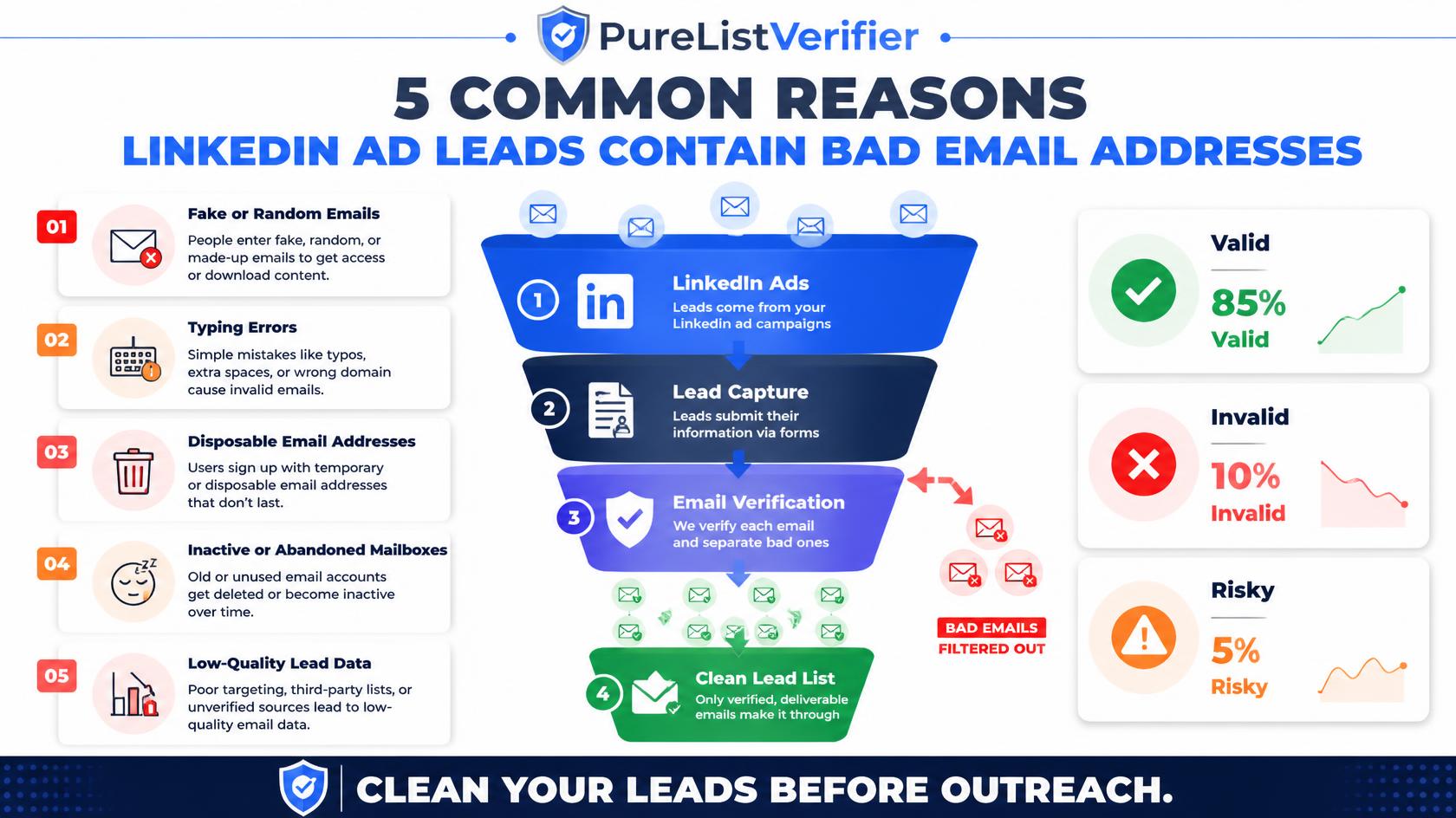
Quick answer: leads from LinkedIn ads have fake or invalid emails so often mainly because Lead Gen Forms auto-fill contact fields directly from a person’s LinkedIn profile, and that profile email is frequently outdated, a personal address someone stopped checking, or an old job’s address that no longer exists. Unlike a manually typed form, the person submitting a LinkedIn lead ad often doesn’t even look at what’s pre-filled before hitting submit, which is exactly why the resulting list needs verification before it goes anywhere near a sales sequence.
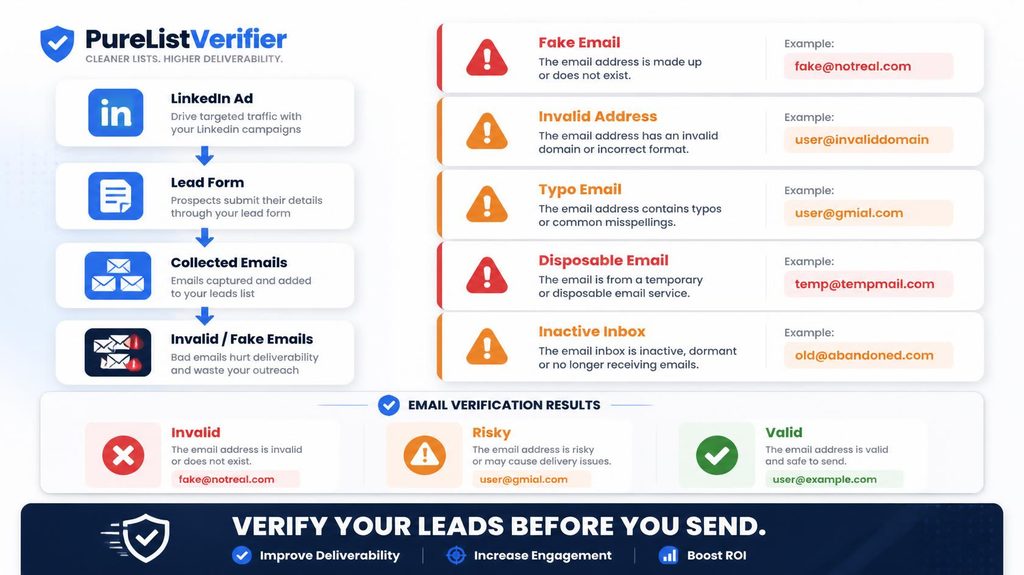
The autofill convenience is also the problem
LinkedIn Lead Gen Forms are popular specifically because they remove friction, the form pre-fills with data straight from the user’s LinkedIn profile, so submitting a lead takes one tap instead of typing everything out. That same convenience is exactly what breaks data quality: the pre-filled email is whatever’s sitting on the profile, which the person may not have updated in months or years, and because it’s already filled in, most people never stop to check or correct it before submitting.
Why the profile email is so often wrong
- Job changes without a profile update. Someone lists their current employer on LinkedIn but the contact email on file is still from a previous role, especially common for people who update their headline and experience section but never touch account settings.
- A personal email used for account signup. Many people register LinkedIn with a personal Gmail or Yahoo account rather than their work email, which then autofills into a B2B lead form regardless of whether that’s the address you actually want.
- Deliberate privacy choices. Some users intentionally keep an old or secondary email on their account specifically to avoid being contacted through it, autofill then hands that address to every lead form they submit.
- Simple neglect. Profiles that haven’t been actively maintained can carry contact details that are years out of date, invisible until someone actually tries to send to them.
Does LinkedIn verify these emails at all?
LinkedIn verifies that an email address is real enough to have created or maintained the account originally, but it doesn’t check whether that specific address is still active, monitored, or the one the person actually wants used for business inquiries. In other words, the address existed and worked at some point, which is a very different guarantee than “this address will reach someone who checks it today.”
How this compares to other lead sources
This is a related but distinct problem from what causes LinkedIn Sales Navigator exports to bounce, where the issue is mostly guessed addresses from finder tools. Lead Gen Form data is different: the address itself is real and was accurate at some point, the problem is staleness and mismatch with intent, not a fabricated guess. It shares more in common with the general pattern covered in why Apollo.io emails bounce so often, any lead source built on data a person doesn’t actively re-confirm at the moment of capture carries real decay risk.
What to actually do about it
- Never send LinkedIn ad leads straight into an automated sequence. Route them through a verification check first, the same way you would any other list before a first send.
- Watch for personal-domain addresses on B2B leads specifically, since these often signal the profile’s autofilled address isn’t the one the person actually monitors for work inquiries.
- Consider adding a manual confirmation step to your lead form, asking users to confirm or re-enter their email rather than trusting the pre-fill blindly, which meaningfully improves data quality at a small conversion cost.
- Track your bounce rate by lead source separately. If LinkedIn ad leads consistently bounce more than leads from other channels, that’s a clear, measurable signal worth acting on rather than assuming.
Why this problem is easy to miss until you actually measure it
Many teams running LinkedIn lead ads never notice a data quality gap simply because they’re not tracking bounce rate broken out by lead source in the first place. If your CRM or outreach tool reports one blended bounce rate across every channel combined, a LinkedIn-specific problem can hide comfortably inside an acceptable-looking overall number, especially if LinkedIn is only one of several lead sources feeding the same list. Tagging leads by source at the point of import, something most CRMs support natively, is a small setup step that makes this kind of channel-specific data quality problem visible instead of invisible.
What sales and marketing teams often get wrong about this
A common instinct when LinkedIn ad leads underperform is to blame targeting, the ad creative, or the offer itself, when the actual culprit is sometimes simpler: a chunk of the “leads” never had a workable email address to begin with, so no amount of better copy or targeting was ever going to convert them. Before overhauling campaign strategy or creative in response to weak results, checking whether a meaningful share of those leads are even reachable is a faster, cheaper diagnostic step that rules out, or confirms, a data quality explanation before you invest time rebuilding a campaign that might not have been the actual problem.
Comparing lead quality across LinkedIn’s different ad formats
Not every LinkedIn ad format produces leads the same way, which affects data quality differently. Lead Gen Forms, with their autofill convenience, trade data freshness for conversion rate. A standard ad linking out to your own landing page, where someone manually types their email into a form you control, generally produces fresher, more intentional data, since the person is actively typing rather than accepting a pre-filled value, but typically converts at a lower rate because of the added friction. Neither format is strictly better, they represent a real tradeoff between volume and data quality that’s worth being deliberate about rather than defaulting to whichever format LinkedIn recommends by default.
What a healthy LinkedIn ad lead bounce rate looks like
There’s no universal benchmark published specifically for LinkedIn ad leads, but the general deliverability guideline of staying under roughly a 2% bounce rate before Gmail and Outlook start treating it as a reputation problem still applies once these leads enter your regular outreach or nurture sequence. If your LinkedIn ad segment is bouncing noticeably above whatever rate your other lead sources produce, that’s a clear, measurable sign the autofill-driven data quality gap discussed above is showing up in your actual numbers, not just a theoretical concern.
Setting up a verification step in your ad-to-CRM pipeline
- Export Lead Gen Form submissions through LinkedIn’s native CRM sync or a Zapier-style integration, as you likely already do.
- Insert a verification step between that export and your CRM or outreach tool, rather than sending leads straight into an automated sequence the moment they arrive.
- Flag or hold addresses that come back invalid or high-risk for manual review rather than discarding them outright, since a real prospect with a stale address is still worth reaching through another channel.
- Review your LinkedIn-specific bounce rate monthly against your other lead sources to catch any drift in data quality early.
What to tell your sales team about these leads specifically
If sales reps are working LinkedIn ad leads directly rather than through an automated sequence, it’s worth setting expectations with them specifically about this data quality pattern, so a bounced or unresponsive email doesn’t automatically get read as a dead or uninterested prospect. A rep who understands that the email address itself may simply be outdated, separate from the prospect’s actual level of interest, is more likely to try an alternate contact method, a LinkedIn message, a phone number if available, rather than writing off a genuinely promising lead based on one bounced email address that was never the person’s fault to begin with.
The bigger picture across every autofill-driven lead source
LinkedIn Lead Gen Forms are one example of a broader pattern: any form that trades manual entry for autofill convenience gains conversion volume at the cost of data freshness, since the person submitting it never actively re-confirms the information handed over on their behalf. As more ad platforms adopt similar low-friction, pre-filled lead capture methods, this same tradeoff will keep showing up in other channels too, which makes a standing verification step in your lead pipeline a durable fix rather than a one-off patch for LinkedIn specifically.
Frequently asked questions
Does LinkedIn verify the emails in Lead Gen Forms?
LinkedIn confirms an email was valid enough to set up or maintain the account, but doesn’t check whether that specific address is still active or the one the person wants used for business contact today.
Why is the email on someone’s LinkedIn profile outdated?
People frequently update their job title and experience without touching their account’s contact email, so the address on file can lag behind their actual current role by months or years.
Can people submit fake information on LinkedIn lead forms?
The autofilled fields come from real profile data, so it’s less about fabricated information and more about stale or mismatched information that was accurate at some point but no longer reflects how to actually reach that person.
Should you verify LinkedIn ad leads before following up?
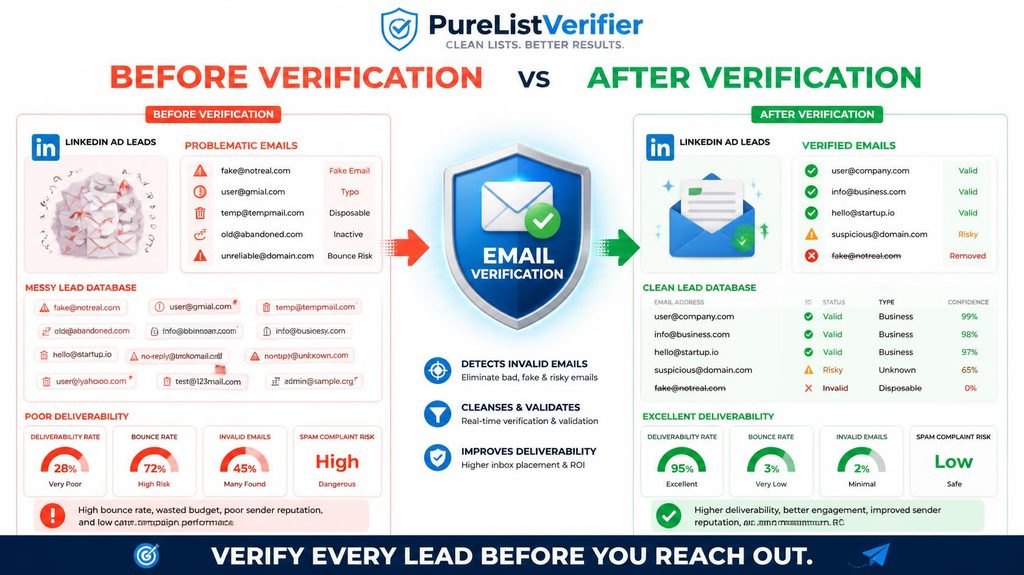
Yes. Since the data comes from autofill rather than active manual entry, running leads through a verification check before your first outreach catches stale or invalid addresses before they hurt your sender reputation.
Do all LinkedIn ad formats produce the same lead quality?
No. Lead Gen Forms trade data freshness for a higher conversion rate through autofill, while ads linking to your own landing page generally produce fresher, manually entered data at a lower conversion rate.
What bounce rate should you expect from LinkedIn ad leads?
The general deliverability guideline of staying under roughly 2% still applies once these leads reach your outreach sequence. A noticeably higher rate than your other lead sources is a clear signal of the autofill data quality gap showing up in practice.
Where to start
If LinkedIn ads are a meaningful part of your lead pipeline, add a verification step between the ad platform and your CRM rather than after you’ve already started emailing. PureListVerifier catches the stale autofilled addresses before they turn into wasted outreach and a damaged sender reputation.