What Is a Spam Trap? How to Find and Remove Spam Traps (2026 Guide)
October 9, 2026
Quick answer
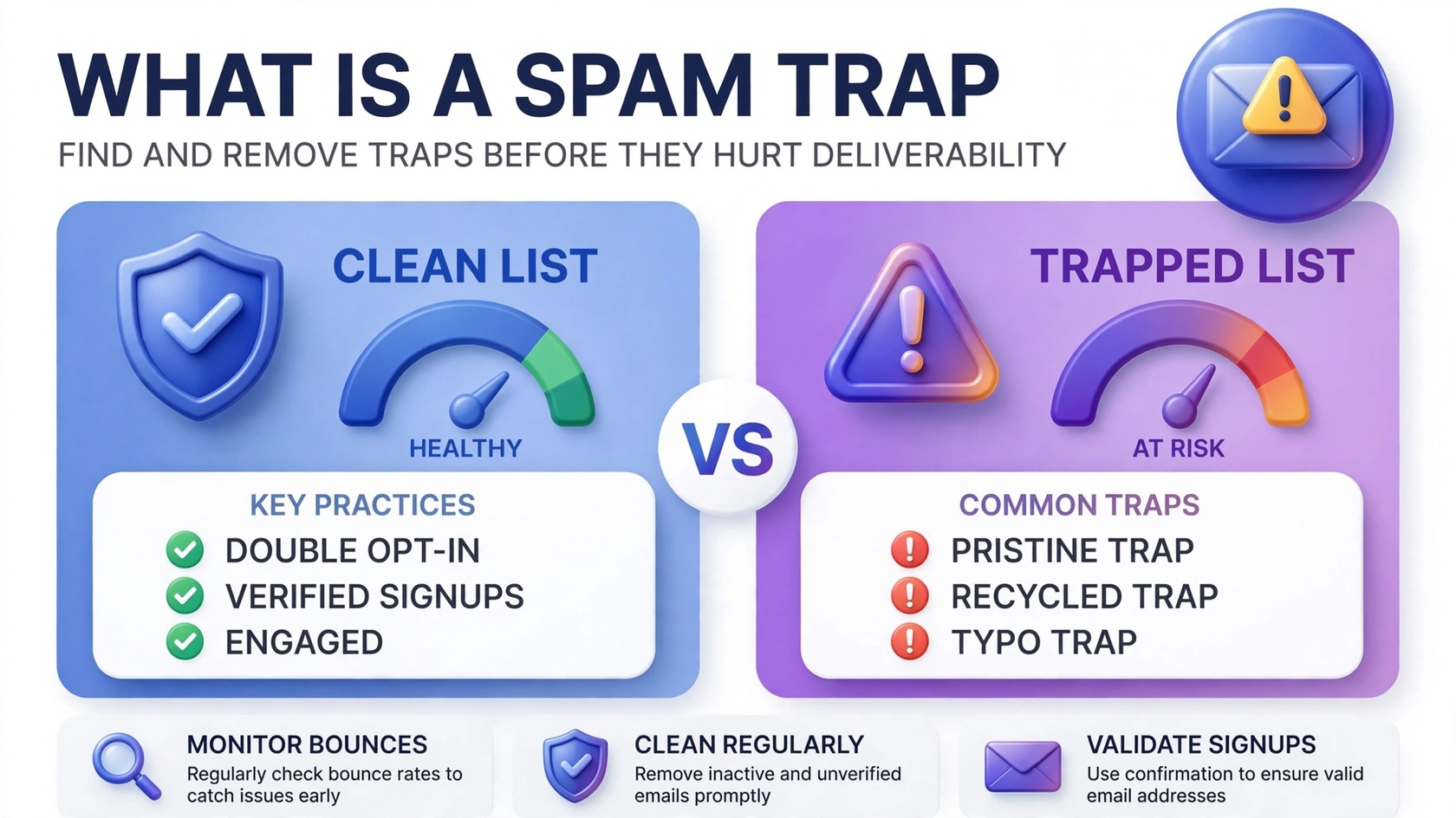
A spam trap is an email address used by mailbox providers and blocklist operators to identify senders with poor list hygiene. Some traps are addresses that were never real in the first place; others are old, abandoned addresses repurposed into traps. If you send to one, it signals that your list contains addresses you never legitimately collected — and repeated trap hits can get your domain blocklisted and your emails routed to spam.
In this guide we explain the three types of spam traps, how they end up on your list, the warning signs to watch for, how email verification flags them before you send, and a practical checklist for finding and removing traps in 2026.
What exactly is a spam trap?
Think of a spam trap as a tripwire hidden inside the email ecosystem. Mailbox providers and anti-spam organizations seed the internet with addresses no legitimate sender should ever mail to. Some are planted deliberately; others are recycled from long-abandoned addresses. Nobody opts in to a spam trap — that is precisely the point.
When you mail one, the operator logs the hit. A single hit rarely hurts, but a pattern tells inbox providers your addresses were gathered without real consent — purchased lists, scraped data, or years of unchecked decay. That signal feeds your sender reputation, which decides inbox vs. spam folder.
Unlike invalid addresses flagged by email verification, spam traps accept your email silently, record the hit, and quietly damage your reputation — harder to detect, and more dangerous to ignore.
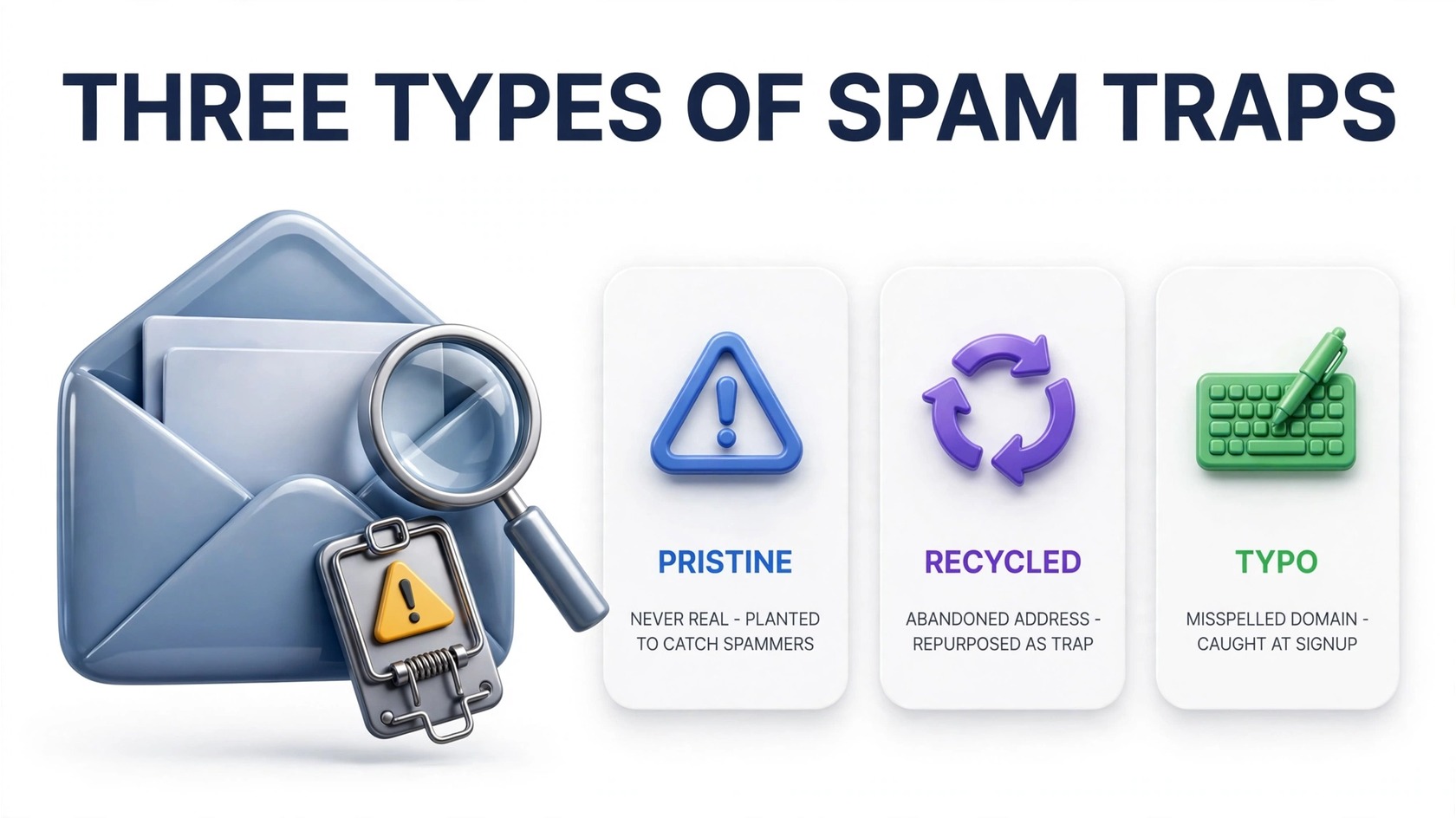
The 3 types of spam traps
Not all spam traps work the same way. Knowing which type you’re dealing with tells you how it got on your list and what to do about it.
1. Pristine spam traps
Pristine traps were created specifically as traps and never belonged to a real person. Operators plant them where only spammers look: hidden in website source code, or seeded into lists sold on the shady end of the data market. They have never opted in to anything, ever.
Hitting a pristine trap is the most damaging kind of trap hit, because there is no innocent explanation for how the address reached your database. It proves the address was harvested, scraped, or bought rather than collected with consent — and even a small number of pristine hits can trigger a blocklisting.
2. Recycled spam traps
Recycled traps start as ordinary, legitimate addresses. When the owner abandons one — a job change, a provider switch — the mailbox provider eventually reclaims it, and after a quiet period it can be converted into a spam trap.
This is the trap type that catches legitimate senders off guard. You collected the address properly years ago, but kept mailing it long after the person left, and nobody cleaned the list. Recycled traps are the most common reason honest businesses see trap hits — the direct result of list decay plus poor hygiene.
3. Typo traps
Typo traps exploit common misspellings of popular domains — gmaill.com, yaho.com, hotmial.com. Some are registered by trap operators; others are simply dead domains whose mail bounces.
Typo traps usually indicate a data-collection problem rather than a consent problem: someone mistyped their address on your signup form, and no validation caught it. A verification check at the point of signup stops these before they ever reach your list.
How spam traps end up on your list
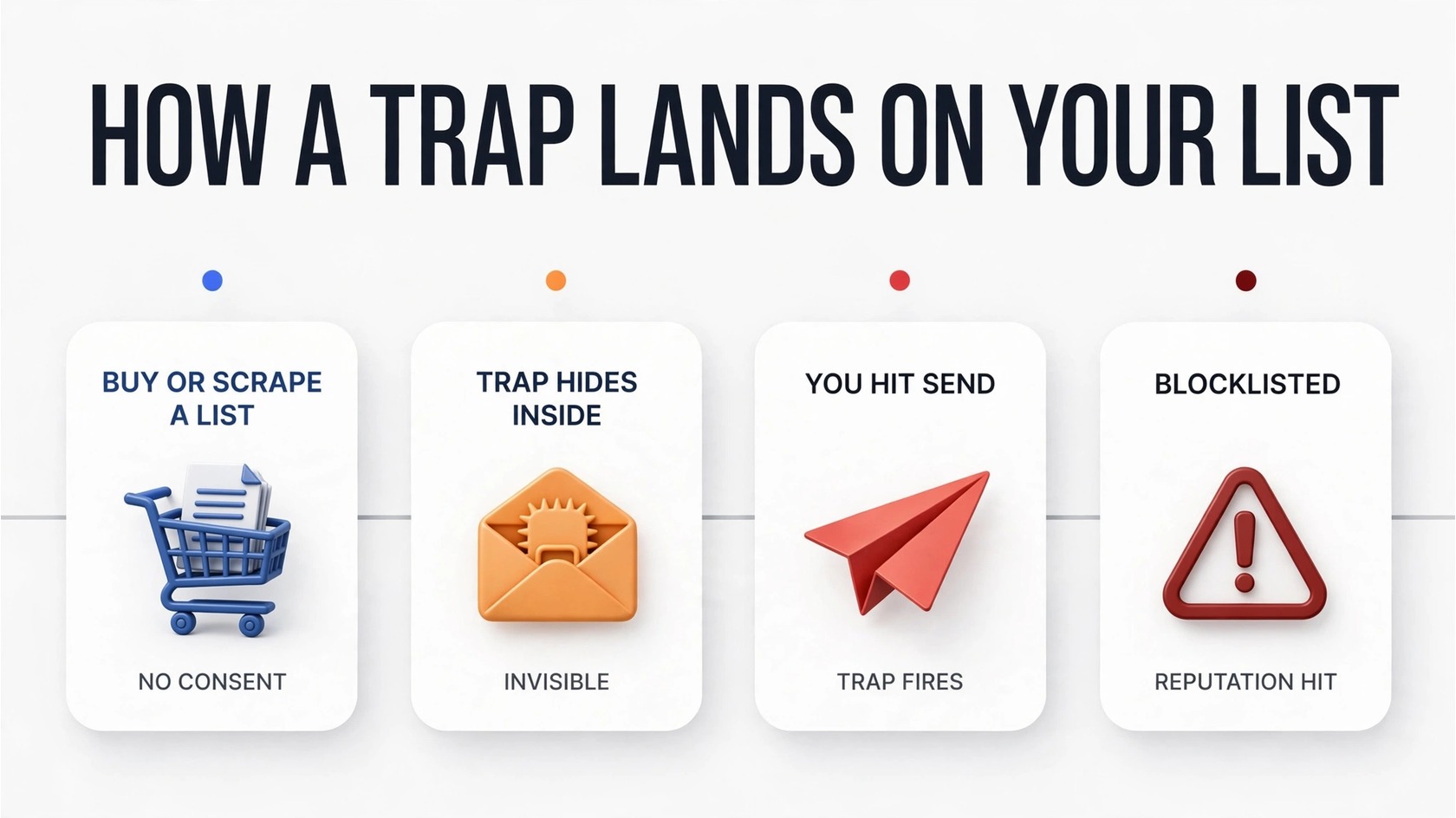
Spam traps don’t appear by magic. Every trap on a sender’s list arrived through one of a handful of routes — and every one is preventable.
- Purchased or rented lists. The number one source of pristine traps. Even sellers claiming “opt-in” data routinely include scraped, harvested, or fabricated addresses — and pristine traps are deliberately seeded into sold lists to identify buyers. Buying a list is the fastest way to inherit someone else’s traps.
- Old, uncleaned lists. An address valid three years ago may be a recycled trap today. Providers repurpose abandoned addresses on their own schedule, so any list uncleaned for a year or more is a trap waiting to happen.
- Scraped or harvested addresses. Addresses pulled from websites or directories bypass consent entirely, and operators plant pristine traps exactly where scrapers look — scraped lists are practically guaranteed to contain them.
- Typos at signup. Without validation on your forms, mistyped domains flow straight into your database. Some of those typos are typo traps or dead domains that hurt your bounce rate.
- Co-registration and “partner” data. Addresses collected through third-party sweepstakes or data-sharing partnerships often come with questionable consent. When you inherit someone else’s collection practices, you inherit their traps too.
The pattern is consistent: traps enter through addresses never properly opted in or never maintained. The fix is the same in every case — collect cleanly, validate early, remove what goes stale.
Signs your list contains spam traps
Traps look like ordinary addresses in your database, but they leave footprints in your sending data:
- Blocklist listings. The clearest signal. If your IP or domain appears on a major blocklist like Spamhaus, trap hits are a likely cause — run a blacklist check and follow a proper removal process immediately.
- Sudden bounce or throttling spikes. A sharp rise in bounces — especially on a list that used to perform fine — can mean recycled traps are bouncing alongside other decayed addresses. Throttling by Gmail or Outlook is another red flag that your reputation has taken a hit.
- An engagement cliff. Open and click rates falling off a cliff after mailing an old or newly acquired segment suggest it contains traps and dead addresses dragging down your domain and IP reputation.
- Spam-folder placement for engaged subscribers. When even loyal readers report your emails landing in spam, your reputation has likely been damaged by trap hits or high complaint rates. See what happens when your email is marked as spam.
No single symptom proves traps, but together they paint a picture. If two or more apply, your list needs a full hygiene pass.
How email verification flags spam traps
A good email verification service maintains databases of known trap addresses and trap-prone patterns, checking every address on your list against them. Here’s how:
- Known-trap database matching. Providers track addresses reported by trap operators and blocklists, flagging known traps as “do not send” before you mail them.
- Risky-pattern detection. Beyond exact matches, verifiers flag trap-like characteristics: suspicious domains, seeded-address patterns, and addresses tied to serial spam complaints.
- Recycled-trap identification. Multi-layer checks — syntax, domain/MX records, mailbox activity signals — identify abandoned addresses likely repurposed as recycled traps.
Independent comparisons like Sender.net’s 2026 hands-on tests and Mailercloud’s 2026 roundup specifically evaluate spam-trap detection — one of the key signals separating serious verifiers from basic syntax checkers.
One caveat: no verifier catches every trap, because trap operators keep their full address lists secret. Verification dramatically reduces your exposure, but it works best as part of a hygiene routine — which brings us to prevention.
How to prevent spam traps from getting on your list
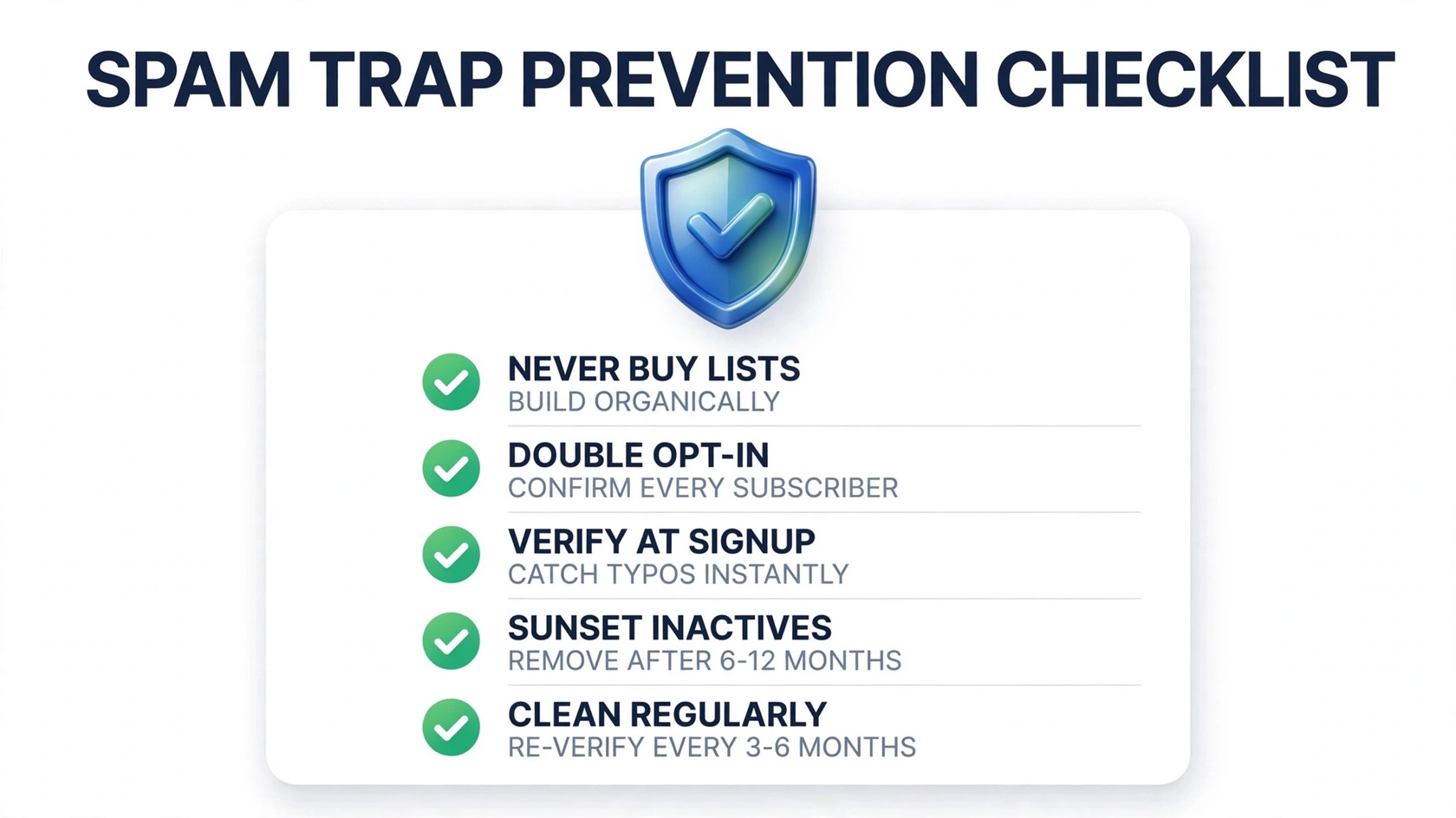
Removing traps is damage control. The real win is never letting them on your list. These five practices do most of the work:
- Never buy, rent, or scrape email lists — the single most important rule. Purchased lists are the top source of pristine traps, and no cleaning fully undoes the damage of mailing one. Build organically; it’s slower, but every address is real.
- Use double opt-in on signup forms. Requiring confirmation proves the address is real, reachable, and wanted — blocking typo traps and fake addresses at the source. Our email deliverability glossary covers opt-in types and other key terms.
- Verify addresses in real time at signup — an email verification API on your forms catches typos, disposable addresses, and invalid domains before they enter your database.
- Sunset inactive subscribers: if a contact hasn’t opened or clicked in 6–12 months, re-engage once, then remove non-responders. Inactives are where recycled traps hide, and mailing them hurts engagement anyway.
- Re-verify regularly. Lists decay continuously, so re-run your full list every 3–6 months — PureListVerifier makes bulk re-checks simple — catching recycled traps before you mail them.
What to do if you’re already blocklisted
If trap hits already landed you on a blocklist, don’t panic — act quickly and methodically:
- Stop sending to the affected list immediately — every extra campaign risks more trap hits and deeper damage.
- Verify the full list and suppress everything risky — run the entire database through a verifier with trap detection. Be aggressive: a smaller clean list beats a large dirty one.
- Request delisting. Follow each blocklist’s formal removal process exactly, document your hygiene steps, and don’t request removal until the list is clean — repeat listings are harder to clear.
- Warm back up slowly. After delisting, restart with your most engaged segment only, then gradually expand volume. Watch bounce rates, complaint rates, and inbox placement closely for the first few campaigns.
- Fix the source. Identify how the traps got in — a purchased list, an old segment, an unvalidated form — and close that door permanently, or you’ll be back within months.
FAQs
What is a spam trap?
An email address used by mailbox providers and blocklist operators to catch senders with poor list hygiene. Sending to one signals your list contains addresses never legitimately collected — damaging your sender reputation and risking a blocklisting.
Can a spam trap hurt my email deliverability?
Yes. Even a few hits lower your sender reputation, and repeated hits can land your domain or IP on a blocklist — pushing more of your emails to spam, including ones to legitimate subscribers.
How do I know if my list has spam traps?
Watch for sudden blocklist listings, bounce/throttling spikes, and engagement drops. The reliable way to find traps is running your list through a verifier that checks known-trap databases.
Can email verification remove spam traps?
Verification flags known traps and risky addresses so you can suppress them before sending. Pair it with regular list cleaning for the best protection.
Do spam traps bounce?
Pristine traps typically accept mail silently and log the hit — that’s what makes them dangerous. Recycled traps may bounce or accept mail. Either way, don’t rely on bounces to find them.
How often should I clean my list to avoid spam traps?
Verify new addresses at signup, re-verify your full list every 3–6 months, and sunset subscribers unengaged for 6–12 months. Lists untouched for a year or more are prime recycled-trap candidates.
Is buying an email list safe if I verify it first?
No. Verification reduces risk but can’t guarantee a purchased list is trap-free, and mailing unsolicited addresses violates Gmail, Yahoo, and most email laws. Never buy lists — build your own.
The bottom line
Spam traps are the email world’s quality control: they punish senders who cut corners and reward those who don’t. Know the three trap types, stop traps at the door with double opt-in and real-time verification, clean your list every few months, and sunset inactives. Do that consistently, and traps become someone else’s problem. Ready to check your list? Try PureListVerifier and find the risky addresses hiding in your database before the blocklists do.