Why Do LinkedIn Sales Navigator Emails Bounce So Often?
September 14, 2026
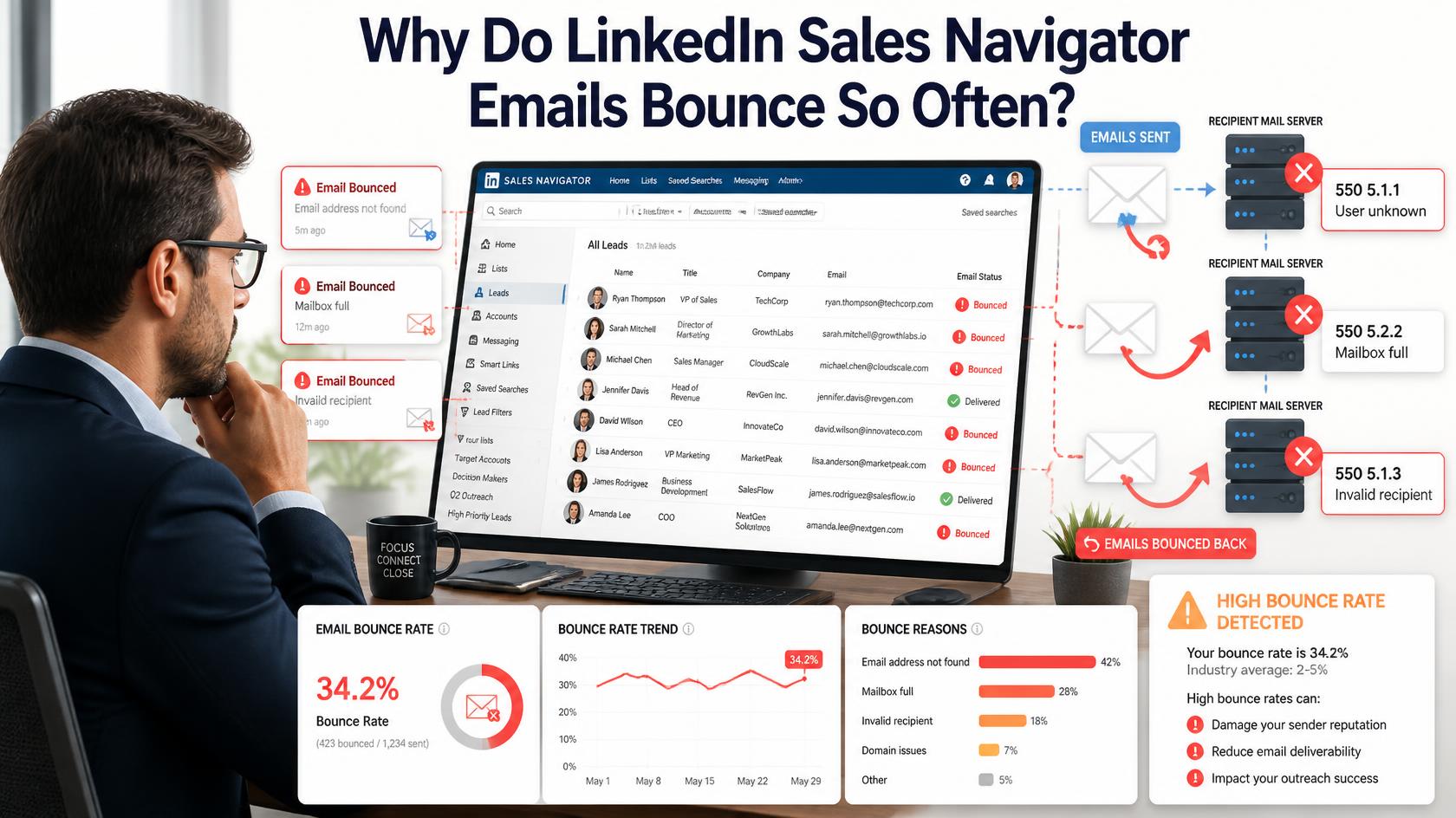
Quick answer: LinkedIn Sales Navigator emails bounce so often because Sales Navigator itself barely provides any, only around 4% of profiles show a direct email address. The rest of what gets exported comes from separate email finder tools layered on top, which generate a mix of confirmed and guessed addresses. The guessed portion, built by applying a company’s likely email pattern to a name, is where nearly all the bounce risk actually lives.
Sales Navigator itself isn’t really an email source
It’s easy to assume a tool built for prospecting comes with contact emails baked in, but that’s not really how Sales Navigator works. It’s built for finding and researching the right people, filtering by title, company, industry, and activity, not for surfacing contact details directly. Only a small share of profiles, commonly cited around 4%, display an email address on the platform itself. Everything else you see in an “exported” list has been added by a separate tool layered on top of Sales Navigator, not pulled from LinkedIn’s own data.
What “waterfall enrichment” actually means
Most Sales Navigator export and enrichment tools use an approach called waterfall enrichment: checking one data source for an email, and if nothing’s found, falling through to the next source, and the next, until something comes back. Done well, this can push hit rates above 90%, but the quality of what comes back varies enormously depending on which source in the waterfall actually produced the result, a directly confirmed address from an early, reliable source behaves very differently from a last-resort guess pulled from a weaker source further down the chain.
Why the bounce rate ends up so much higher than expected
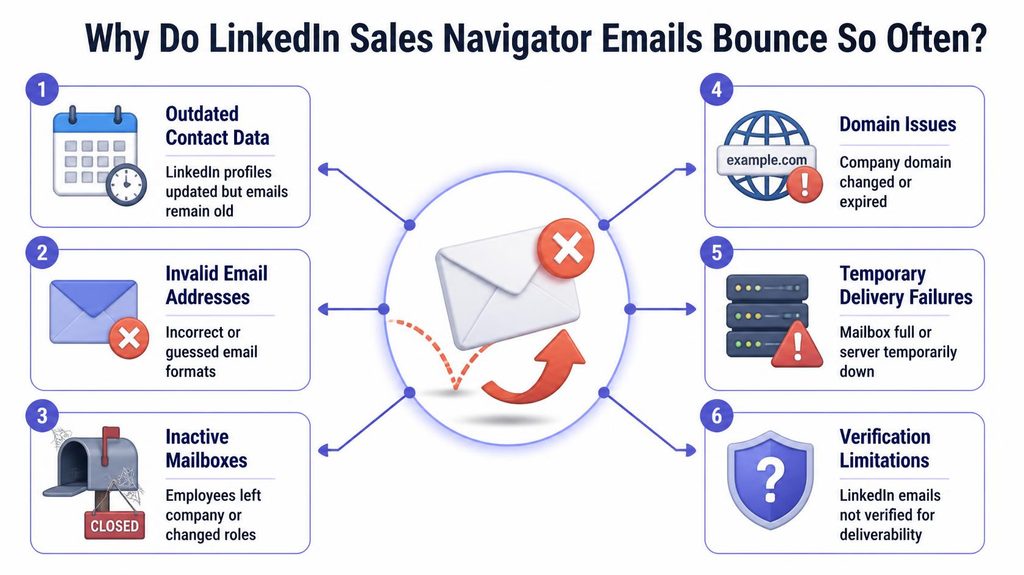
A bounce rate above roughly 2% is generally where deliverability problems start at Gmail and Outlook. Sales Navigator lists that get run through an email finder without a separate verification step often land well above that threshold, since the finder’s output mixes pattern-based guesses, stale addresses, and catch-all domain results in with genuinely confirmed ones, and nothing in that raw export distinguishes clearly between them unless the tool explicitly labels its confidence level.
Not all finder tools perform the same
There’s a real, measurable difference between tools that include verification as part of the export and those that don’t. Some export tools build real-time email verification directly into the process, and tools built specifically for higher-stakes prospects report accuracy in the 95-97% range when verification is genuinely built in end to end. The gap between a tool that verifies as it enriches and one that only guesses is exactly where most of the bounce-rate difference between “this worked great” and “this wrecked my sender reputation” actually comes from.
How this compares to other lead sources
The underlying problem here is the same one covered in why Apollo.io emails bounce so often: any tool generating an email address from a name and a company, rather than confirming one that’s already known to work, carries real bounce risk on the guessed portion of its results. Sales Navigator exports aren’t uniquely bad, they’re subject to the same general limitation that applies to email-finding technology across the board, LinkedIn-sourced or not.
What to actually do about it
- Check what confidence label, if any, your export tool provides for each address, and treat lower-confidence or “guessed” results with more caution than confirmed ones.
- Run the full export through a separate verification check before it reaches your outreach sequence, regardless of what the finder tool itself claims about accuracy.
- Expect a higher bounce rate on smaller or less prominent companies, since waterfall enrichment tends to perform best on well-documented, larger organizations with predictable, consistent email formats.
- Don’t treat a high overall hit rate as the same thing as accuracy. A tool finding an email for 90% of profiles says nothing about how many of those addresses actually work.
What “verified” actually means when a finder tool uses that label
The word “verified” gets used loosely across the enrichment tool space, and it’s worth understanding what it actually means for the specific tool you’re using rather than assuming it matches a rigorous mailbox-level check. For some tools, “verified” means the email was directly confirmed through a mailbox-level check similar to a dedicated verification service. For others, it simply means the address matched a known, previously-seen pattern for that company with reasonable confidence, which is a meaningfully weaker guarantee despite using the same label. Reading a tool’s own documentation on what triggers its “verified” tag, rather than assuming the word carries a universal definition, is worth the few minutes it takes before trusting that label at face value across an entire list.
Why exporting more contacts isn’t the same as exporting better ones
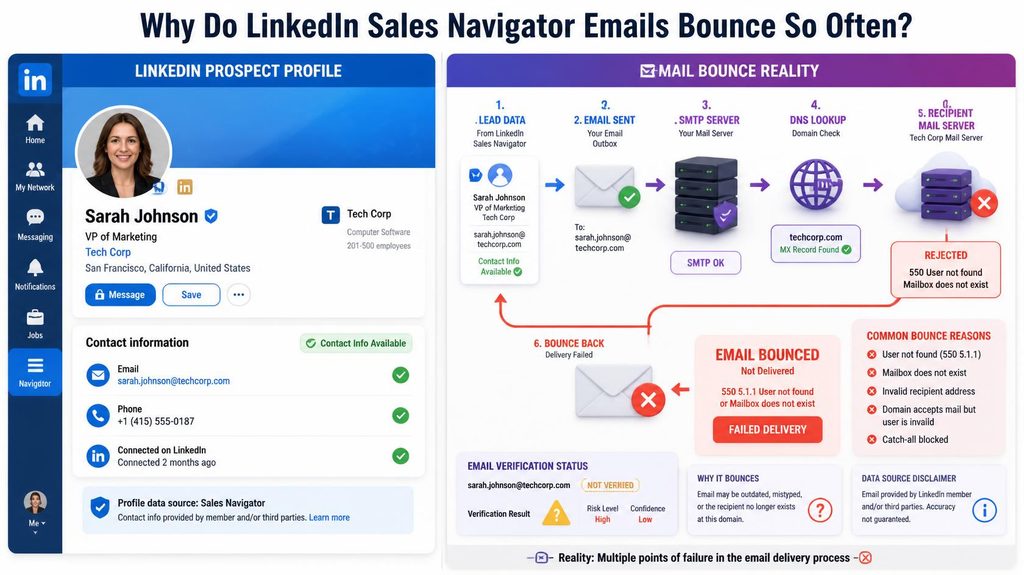
It’s tempting to judge a Sales Navigator workflow by how many contacts it produces, but raw volume and usable quality often move in opposite directions. Pushing a finder tool to maximize hit rate on a list, returning a result for as many profiles as possible, generally means accepting more lower-confidence guesses into the mix, since a stricter, higher-confidence-only setting naturally returns fewer results. If your outreach capacity is limited anyway, prioritizing a smaller list of higher-confidence, verifiable contacts over a larger list padded with speculative guesses is usually the better trade, since your actual bottleneck is rarely the size of your list but how many of those contacts you can genuinely reach and convert.
Why company size changes the math
Waterfall enrichment tools generally perform best on larger, well-documented companies, where email patterns are consistent and often already confirmed by prior data sources feeding into the waterfall. Smaller companies and startups are a different story: less public data exists to draw from, email formats are less predictable, and staff turnover means a pattern-matched guess is more likely to hit a departed employee’s now-dead address. If your Sales Navigator prospecting skews toward smaller companies, expect a meaningfully higher bounce rate than the tool’s overall advertised accuracy would suggest, since that headline number is usually an average across company sizes that don’t perform equally.
How to read a finder tool’s confidence score correctly
Most enrichment tools attach some form of confidence indicator to each result, whether that’s a percentage, a “verified” versus “guessed” label, or a letter grade. Treat a high confidence score as a reasonable signal, not a guarantee, since these scores reflect the tool’s own internal logic about pattern likelihood, not an actual confirmation that the mailbox exists and accepts mail today. The gap between a tool’s confidence label and a genuine mailbox-level check is exactly the gap a separate verification step exists to close.
Building verification into your Sales Navigator workflow
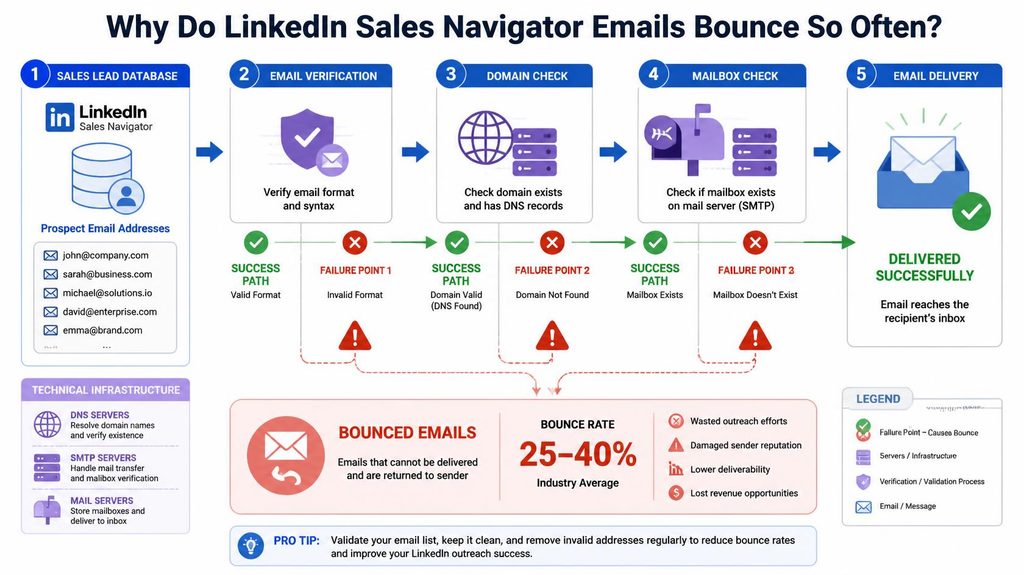
- Export your list from Sales Navigator through your enrichment tool of choice as usual.
- Route the full export through a separate verification check before it ever reaches an outreach sequence, treating the enrichment tool’s own confidence label as a starting point rather than a final answer.
- Segment by confidence level if your tool provides one, sending confirmed addresses first while holding lower-confidence guesses for a slower, more closely monitored sequence.
- Track bounce rate by company size or list segment over time, since this reveals which parts of your prospecting are producing reliably good data and which need a different enrichment approach entirely.
What this means for how you budget outreach campaigns
If a meaningful share of a Sales Navigator export is likely to bounce without verification, that has real budget implications beyond just deliverability risk, since many finder and enrichment tools charge per lookup regardless of whether the resulting email turns out to be accurate. Paying for enrichment on a large batch, only to discover a meaningful chunk of it is unreachable once you actually send, means you paid twice, once for the lookup and again in wasted outreach effort and reputation damage. Building a verification step into your budget alongside enrichment costs, rather than treating it as an optional extra, gives a more honest picture of your true cost per usable, reachable contact.
A practical example of the difference verification makes
Picture two identical Sales Navigator exports of 1,000 prospects run through the same finder tool: one goes straight into an outreach sequence untouched, the other passes through a separate verification check first, with flagged addresses either dropped or held for manual review. The first list arrives at your sending platform with an unknown mix of confirmed and guessed addresses baked in, and you find out which is which only after bounces start accumulating and your sender reputation takes the hit. The second list costs a small amount of time and a verification credit per address upfront, but arrives already sorted, letting you send with confidence instead of finding out the hard way which guesses didn’t pan out.
Frequently asked questions
Does LinkedIn Sales Navigator show email addresses directly?
Rarely. Only around 4% of profiles display an email address directly on the platform. Most “exported” emails actually come from a separate finder tool layered on top of Sales Navigator.
What is waterfall enrichment?
A process where a tool checks one data source for an email, then falls through to additional sources if nothing’s found, until it returns a result. It can achieve high hit rates, but result quality varies by which source in the chain actually produced the answer.
What bounce rate should you expect from a Sales Navigator export?
Without a separate verification step, well above the roughly 2% threshold that starts causing deliverability problems at Gmail and Outlook. With verification built in, some tools report bounce rates under 5%.
Do all Sales Navigator export tools include verification?
No, this varies significantly by tool. Some build real-time verification directly into the enrichment process, while others only return a best-guess address with no confirmation step at all.
Does company size affect how accurate Sales Navigator exports are?
Yes. Larger, well-documented companies tend to produce more accurate results from waterfall enrichment, while smaller companies and startups, with less public data and higher turnover, carry more bounce risk on guessed addresses.
Should you trust a finder tool’s confidence score on its own?
Treat it as a useful signal, not a guarantee. A confidence score reflects the tool’s internal pattern-matching logic, not a live confirmation that the mailbox actually exists and accepts mail today.
Where to start
Whatever tool you use to enrich Sales Navigator exports, run the resulting list through a separate check before your first send. PureListVerifier catches the guessed and stale addresses that a finder tool’s own confidence label might have missed.